SMS Reminder Personalization: 5 Variables That Cut No-Shows
Generic SMS reminders get ignored. Learn 5 personalization variables that make appointment reminders impossible to miss and reduce no-shows by 40%.
SMS Reminder Personalization: 5 Variables That Cut No-Shows
TL;DR: Generic "You have an appointment tomorrow" texts get deleted. Personalized SMS reminders that include service details, staff names, and prep instructions reduce no-shows by 35-40%. Here are 5 variables that make your reminders impossible to ignore.
Your SMS reminder says "Appointment tomorrow at 2pm." Your client deletes it without reading past the first word.
Why? Because generic reminders feel like spam. They don't connect to the specific service your client is excited about or the staff member they requested.
Personalized SMS reminders work because they remind clients why they booked in the first place. When your text mentions "facial with Sarah" instead of "appointment," it triggers memory and anticipation. That emotional connection is what prevents no-shows.
What Makes SMS Reminders Personal (And Effective)
Personalization isn't just using someone's first name. It's including details that make the reminder feel specific to their actual appointment.
The most effective personalized reminders include:
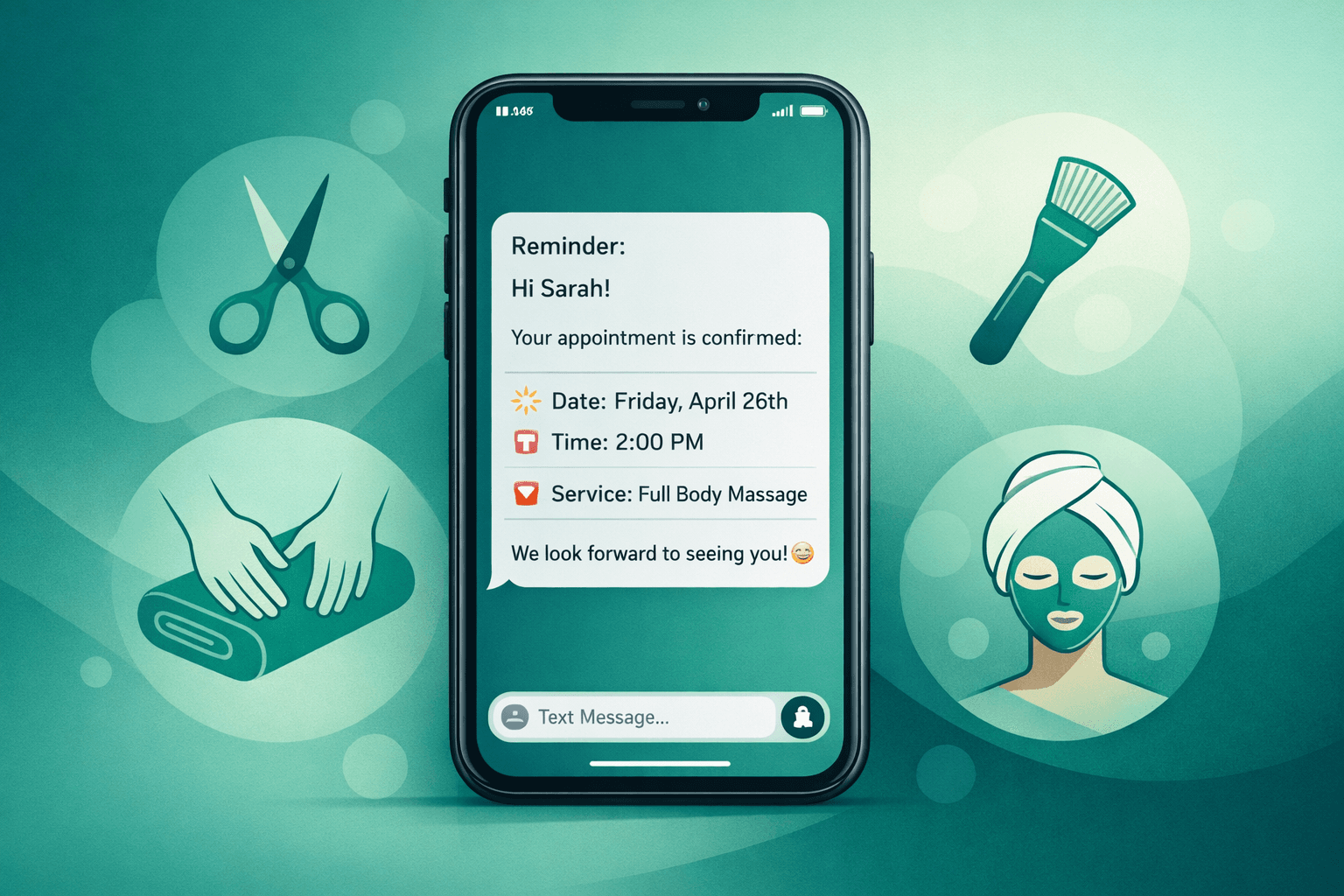
A personalized reminder reads like: "Hi Sarah! Your 90-minute deep tissue massage with Mike is tomorrow at 2pm. Please arrive 10 minutes early for intake forms. Looking forward to helping you relax!"
That specific detail makes it impossible to confuse with any other appointment or ignore as generic spam.
Variable 1: Service-Specific Details
Include what they're actually getting, not just that they have an appointment.
Generic: "Appointment tomorrow at 2pm"
Personalized: "Your hydrafacial appointment is tomorrow at 2pm"
Service-specific reminders work because they:
For combination services, list the main components: "Your cut and color with Jennifer is Thursday at 1pm." This helps clients block enough time and remember what they're paying for.
Variable 2: Staff Member Names
Clients often book with specific providers they know and trust. Mentioning the staff member makes the reminder personal.
Generic: "Appointment with our team tomorrow"
Personalized: "Your massage with David is tomorrow at 3pm"
This is especially important for:
When clients see their preferred provider's name, they're more likely to prioritize the appointment over other commitments.
Variable 3: Preparation Instructions
Include service-specific prep steps that show you care about their experience.
Examples:
Prep instructions serve two purposes:
Variable 4: Duration and Investment Reminder
Mention time and financial investment to reinforce the value.
Examples:
This works because:
Variable 5: Next Steps or Follow-Up
Mention what happens after the appointment to create continuity.
Examples:
This positions the current appointment as part of an ongoing relationship, not just a one-time transaction.
How Shamrok Automates Personal Reminders
Personalized reminders require data from your booking system. Shamrok's AI pulls service details, staff assignments, and client preferences directly from platforms like Vagaro, Boulevard, and Mindbody.
The system automatically:
This happens automatically for every appointment without manual work from your front desk.
Measuring Personalization Impact
Track these metrics to see if personalized reminders are working:
Most appointment businesses see results within 2-3 weeks of implementing personalized reminders.
Common Personalization Mistakes
Avoid these errors that make "personalized" reminders feel generic:
Using wrong service names: If your CRM lists "Haircut - Men's" but clients know it as "Men's Cut," use their language.
Forgetting staff preferences: Some providers prefer formal names ("appointment with Dr. Smith") while others use first names ("massage with Jennifer").
Over-personalizing: Don't include internal booking codes or staff schedules clients don't care about.
Inconsistent tone: Match your brand voice. Spa reminders should feel calming, barbershop reminders can be more casual.
Setting Up Personalized SMS Templates
Start with these templates and customize for your business:
Standard appointment: "Hi [Name]! Your [Service] with [Staff] is [Day] at [Time]. [Prep instruction]. See you soon!"
Long services: "Hi [Name]! Your [Duration] [Service] with [Staff] starts [Day] at [Time]. Please arrive 10 minutes early. [Prep instruction]."
High-value services: "Hi [Name]! Your [Service] appointment ($[Price]) with [Staff] is [Day] at [Time]. [Prep instruction]. We're excited to see you!"
Test different versions to see what works best for your clients and services.
Personalized SMS reminders turn generic appointment notifications into specific, valuable communications your clients actually want to receive. The 35-40% reduction in no-shows pays for itself immediately.
FAQ
Q: How much does SMS personalization reduce no-shows?
A: Most businesses see 20-40% fewer no-shows with properly personalized reminders compared to generic texts. The improvement is highest for services over $100 or longer than 60 minutes.
Q: What information should I include in personalized SMS reminders?
A: Always include service name, staff member, date/time, and one preparation instruction. For higher-value appointments, add duration and investment amount to reinforce commitment.
Q: Can I automate personalized SMS reminders with my current booking system?
A: Yes, if your system stores service details and staff assignments. Platforms like Vagaro, Boulevard, and Mindbody have APIs that pull this data automatically for reminder personalization.
Q: Should I send the same personalized message multiple times?
A: No, vary the content for each touchpoint. The 72-hour reminder can focus on preparation, the 24-hour on logistics, and day-of on arrival instructions while maintaining personalization throughout.