Multi-Touch Reminder Systems: 3-5 Touch Strategy Works
Multi-touch reminder systems reduce no-shows by 40%. Learn the optimal 3-5 touch strategy that works for spas, salons, and appointment-based businesses.
Multi-Touch Reminder Systems: 3-5 Touch Strategy Works
TL;DR: Single appointment reminders aren't enough. Multi-touch reminder systems using 3-5 strategic touchpoints reduce no-shows by 40% and increase revenue per appointment slot. Here's the proven cadence that works.
Your client books a facial for next Thursday at 2 PM. You send one text reminder the day before. Thursday arrives — no client. Sound familiar?
Single-touch reminders fail because life happens. Your client's phone dies, they're in meetings, or the reminder gets buried under 47 other notifications. Multi-touch reminder systems solve this by creating multiple opportunities for your message to land.
The data is clear: businesses using 3-5 strategic touchpoints see 40% fewer no-shows than those relying on single reminders. But there's a science to the timing and channels that makes the difference between helpful and annoying.
The Psychology Behind Multi-Touch Reminders
Your clients aren't ignoring you on purpose. They're overwhelmed. The average person receives 121 emails and dozens of text messages daily. A single reminder, no matter how well-crafted, often disappears in the noise.
Multi-touch systems work because they:
The key is strategic spacing. Too frequent feels pushy. Too sparse leaves gaps where clients forget again.
The Proven 3-5 Touch Cadence
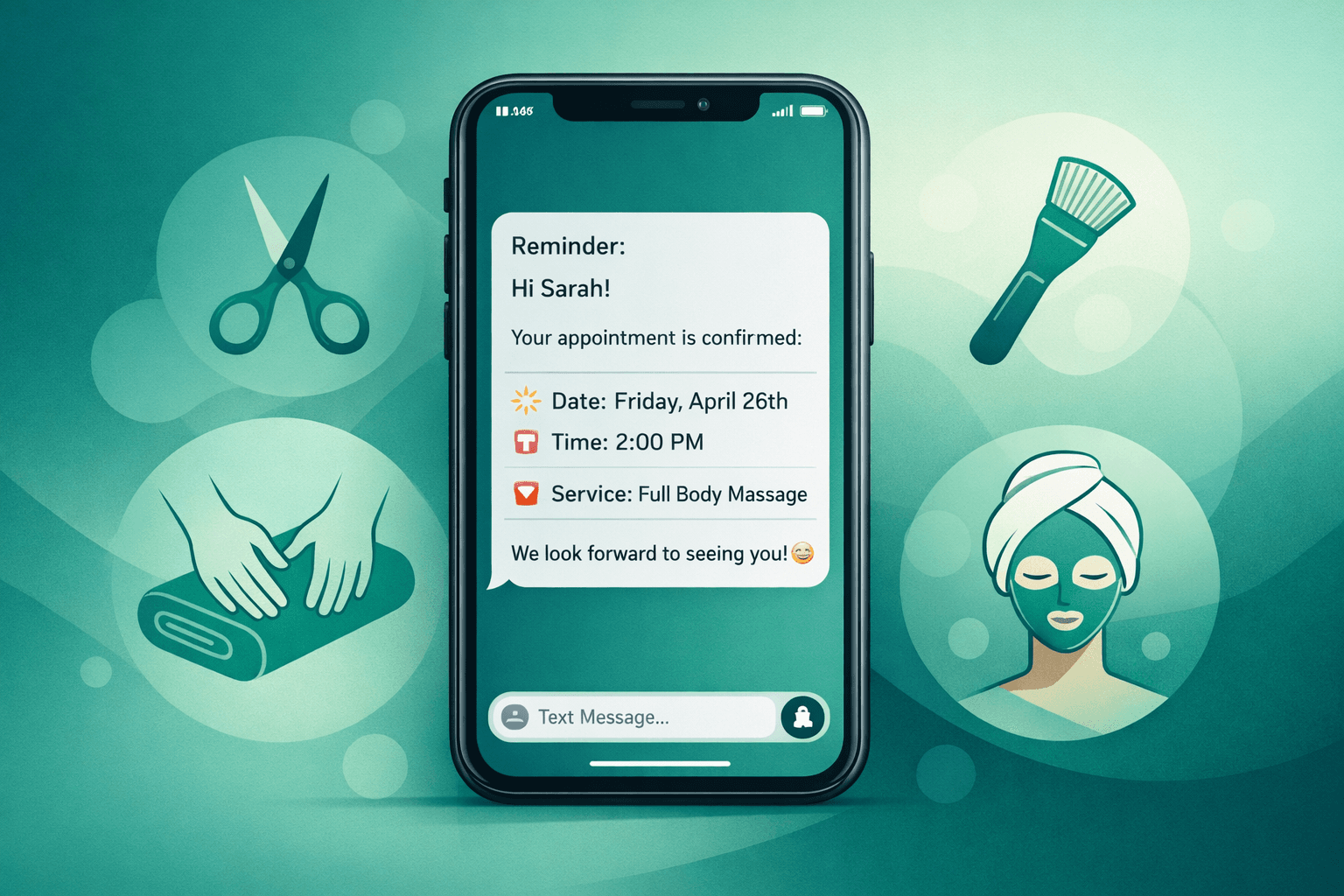
Touch 1: Initial Confirmation (Booking Day)
Send within 5 minutes of booking while the appointment is fresh in their mind.
Touch 2: Early Reminder (1 Week Before)
First true reminder for appointments scheduled more than 7 days out.
Touch 3: Mid-Week Check (3 Days Before)
The most critical reminder in the sequence.
Touch 4: Final Reminder (Day Before)
Last chance to prevent no-shows.
Touch 5: Day-Of Check (2-4 Hours Before)
Optional but powerful for high-value appointments.
Channel Strategy: Email vs SMS vs Voice
Different channels serve different purposes in your reminder sequence:
SMS (Text Messages)
Voice Calls
Shamrok's voice AI handles this complexity automatically. When SMS doesn't get a response, it can escalate to a voice call. When clients call back with questions, the AI answers immediately instead of sending them to voicemail.
Timing Optimization by Industry
Salons & Spas (60-90 minute appointments)
Medical Spas (2+ hour treatments)
Quick Services (30 minute appointments)
Automation That Actually Works
Manual reminder systems fail because they require perfect execution every time. Miss sending one batch, and no-shows spike that week. Automate incorrectly, and clients get annoyed.
Effective automated multi-touch systems need:
Smart Scheduling Logic
Response Handling
Escalation Rules
Most booking systems (Vagaro, Boulevard, Mindbody) offer basic reminder automation. But they typically send single-touch reminders at fixed intervals. Multi-touch sequences require either manual work or more sophisticated automation.
Shamrok integrates with your existing CRM to layer intelligent voice AI on top of your current reminder system. When automated messages don't get responses, the AI can place follow-up calls that sound natural and handle common questions without staff intervention.
Measuring Multi-Touch Success
Track these metrics to optimize your reminder cadence:
No-Show Rate by Touch Point
Response Rates by Channel
Revenue Protection
Most businesses see ROI within the first month of implementing systematic multi-touch reminders. The combination of fewer no-shows and better slot utilization typically pays for any automation costs several times over.
Common Multi-Touch Mistakes
Mistake 1: Identical Messages
Sending the same reminder text 5 times trains clients to ignore them.
Mistake 2: Wrong Channel Mix
Using only email for urgent reminders or only SMS for detailed instructions.
Mistake 3: Ignoring Responses
Clients reply "YES" but staff doesn't see confirmations until it's too late.
Mistake 4: No Escalation
Sticking to the planned sequence even when clients aren't responding.
The goal isn't perfect attendance — it's predictable attendance. Multi-touch systems help you identify likely no-shows early enough to fill slots or adjust schedules.
Integration with Your Current System
You don't need to replace your entire booking system to implement multi-touch reminders. Most businesses layer enhanced reminder systems on top of existing CRMs:
Vagaro Integration
Use Vagaro's basic reminders for Touch 1 and 2. Add third-party SMS for Touch 3 and 4. Layer voice AI for non-responders.
Boulevard Integration
Boulevard's reminder system handles email well. Supplement with SMS automation for urgent touchpoints.
Mindbody Integration
Mindbody's reminder features work for studios. Add voice follow-up for higher-value individual appointments.
Shamrok connects to all major CRMs and adds intelligent voice capabilities without disrupting your current workflow. When clients call back with questions about appointments, preparation, or rescheduling, the AI handles those conversations immediately.
The Bottom Line
Single appointment reminders leave money on the table. Multi-touch reminder systems using 3-5 strategic touchpoints reduce no-shows by 40% and create more predictable revenue.
The key is matching channels to purposes: email for detailed information, SMS for urgent confirmations, and voice calls for non-responders. Automation handles the complexity, but make sure your system can process responses and escalate when needed.
Start with a basic 3-touch sequence (initial confirmation, 3 days before, day before) and add touches as you see what works for your clients. Track response and no-show rates by touchpoint to optimize timing and messaging.
Most importantly: multi-touch systems work best when they feel helpful, not pushy. Space touches appropriately and always provide easy ways for clients to confirm, reschedule, or ask questions.
FAQ
Q: How many reminder touches are too many?
A: More than 5 touches typically crosses into annoying territory. The sweet spot is 3-4 touches for most appointment types, with a 5th touch reserved for high-value services or clients with no-show history.
Q: Should I use the same reminder schedule for all appointment types?
A: No. Longer appointments need more lead time between touches. A 3-hour medical spa treatment needs different pacing than a 30-minute haircut. Adjust timing based on appointment complexity and value.
Q: What if clients complain about too many reminders?
A: Offer opt-out options for specific channels and track complaint rates. If more than 2% of clients complain, reduce frequency. Most clients appreciate helpful reminders when they're timed appropriately.
Q: Can I automate multi-touch reminders with my current booking system?
A: Most booking systems offer basic automation but not true multi-touch sequences. You'll likely need additional SMS automation and voice AI integration to handle the full sequence and response processing effectively.